Register a user account
📌 Forgotten username or password ? : follow this link
Create a site-wide account
To set up a new user account please click on the following link: Register for a site-wide account
Ensure that you enter a valid E-mail address, as account validation details will be sent to this address. Please use your academic/institution address, personnal adresses may be ignored.
Please fill your account info using :
- Last name and given name(s) first letter capitalization
- Full affiliation details (i.e. department, institution, country) with no acronyms
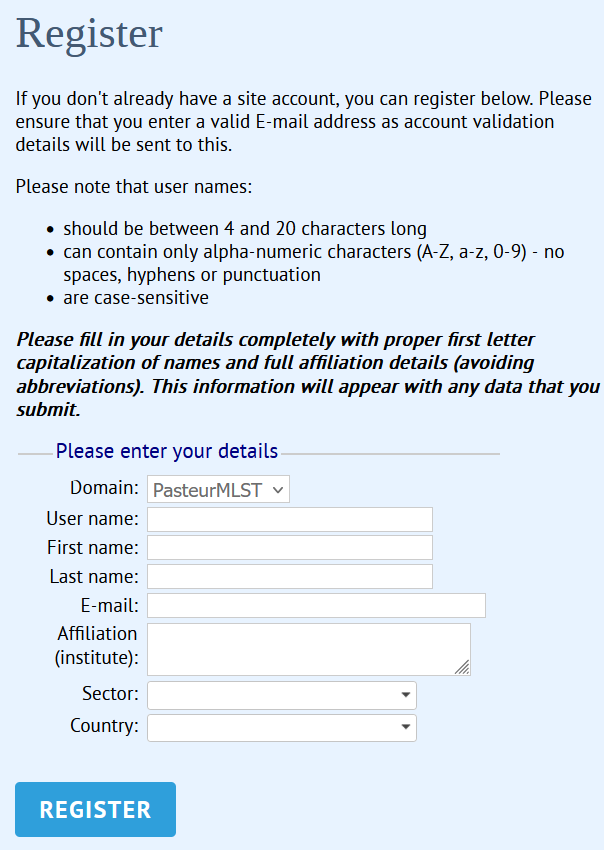
After registation, a random password will be generated and sent to the provided E-mail address. You must log in to the site within 60 minutes using this password. You will then be required to change this password and log in again.
Register to specific databases
Once you are logged in, register your account to the databases you are interested in. Registering your account allows you to :
- Submit data
- Customise the database's interface or output
- Access a password-protected database
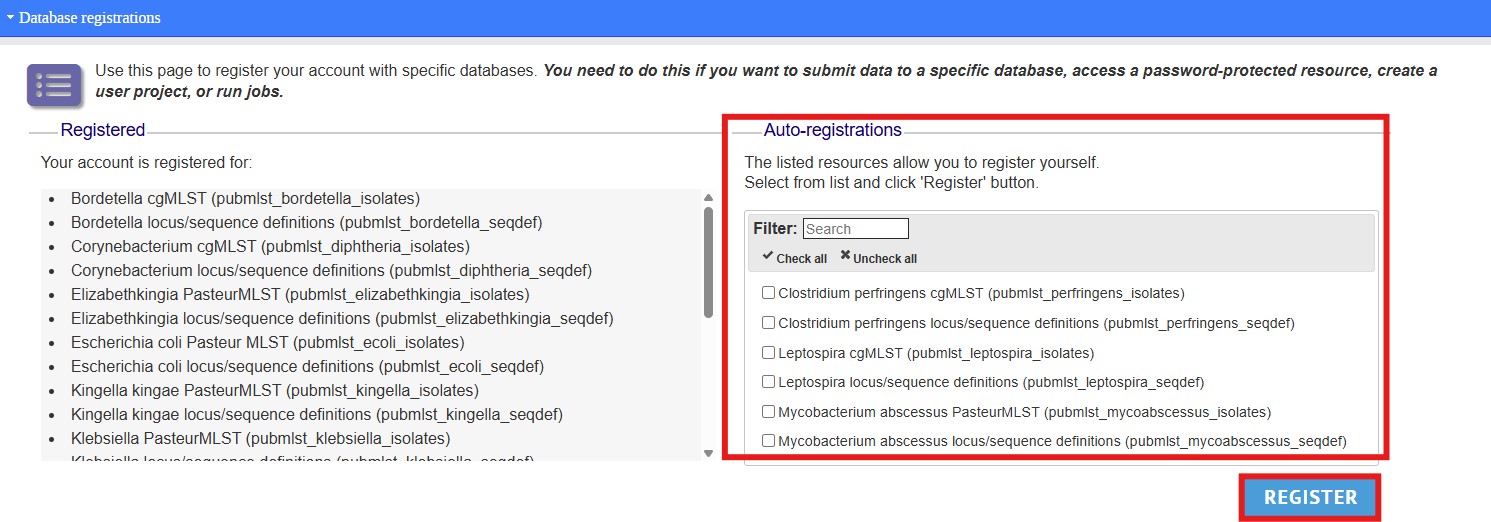
To register to specific databases, please use the following link : site-wide account settings page
You will see a list of databases in which you can auto-register : select the database(s) in the Auto-registrations tab and click 'Register'.
What happens next ?
✅ You are now all set to submit or browse the database resources requiring authentication !